> For the complete documentation index, see [llms.txt](https://docs.tiny.plus/llms.txt). Markdown versions of documentation pages are available by appending `.md` to page URLs; this page is available as [Markdown](https://docs.tiny.plus/guides/everyday/mobile-apps.md).
# The mobile apps
The tiny+ apps for iPhone, iPad and Android: where to get them and what they do.
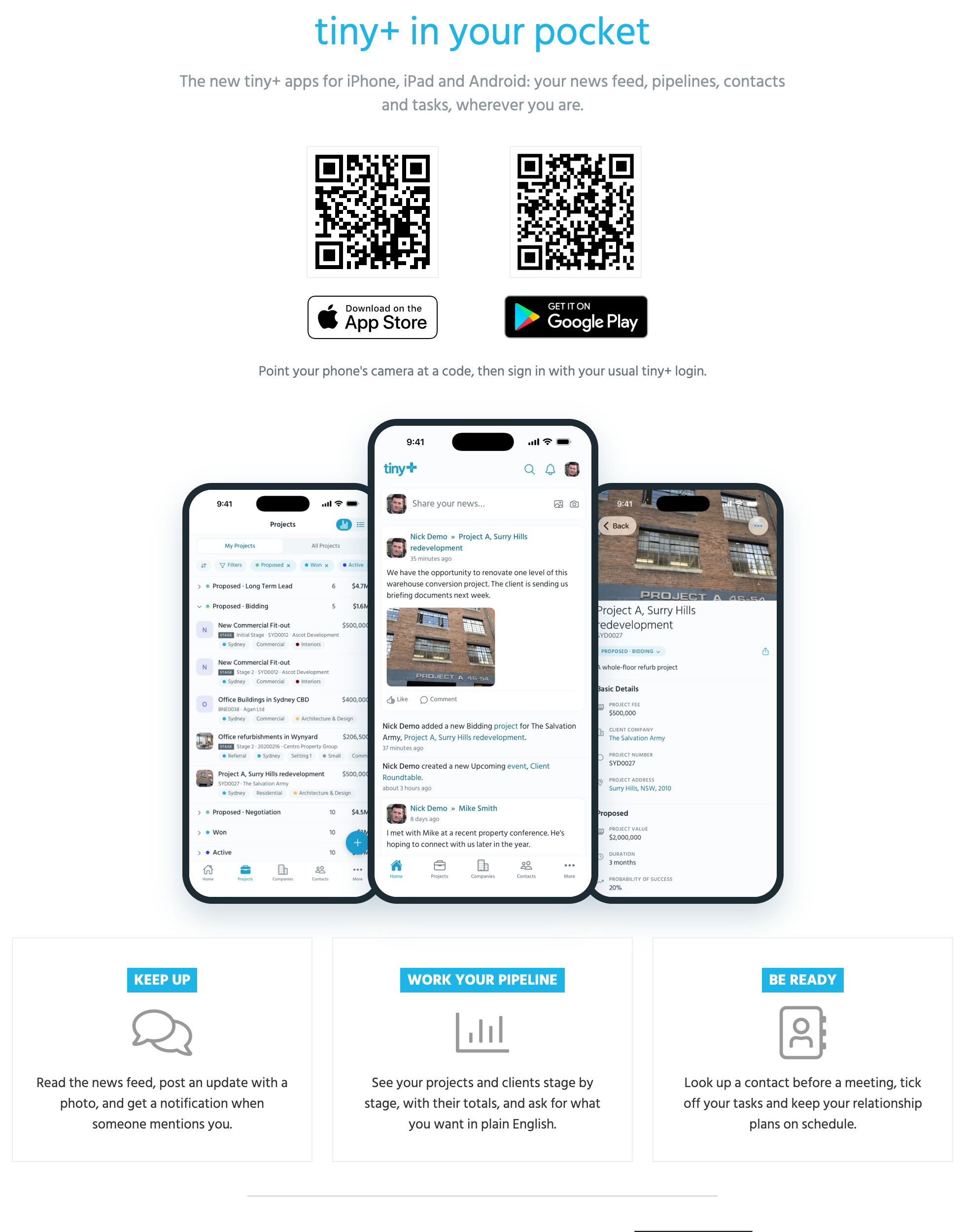
tiny+ comes with an app for iPhone and iPad and an app for Android, so the news feed, your pipelines, your contacts and your tasks are with you between meetings. Both are free, and you sign in with your usual tiny+ login.
The quickest way onto a phone is the **Our apps** page, under the help menu at the top right of tiny+: point the phone's camera at the code for it and the store opens.
## What the apps do
**Keep up with the firm.** The [News Feed](/guides/everyday/news-feed.md) is the home screen. Read what's happening, like and comment, and post an update of your own with a photo from your camera roll. You get a push notification when someone mentions you, replies to you, or gives you a task or a meeting.
**Work your pipelines.** Projects and clients are listed stage by stage, with the number in each stage and its total, as a list or a board. Filter them, switch between your own and everyone's, open a project to see its details, and move it to the next stage.
**Be ready for the meeting.** Look up a company or a contact on the way in. A contact's phone number and email are a tap away, and the record's feed shows what was said last.
**Keep on top of your day.** Your tasks, meetings and events are in the app, with your calendar. Tick a task off when it's done.
**Keep relationships on schedule.** The follow-ups due on your [relationship plans](/guides/everyday/relationship-plans.md) are listed, and you log what happened from the plan.
**Ask.** On a Pro account with [Ask](/guides/everyday/ask-and-ai-assistants.md) on, type what you want in plain English, such as *proposals over 200k in Sydney*, and the app finds them.
Confidential records, roles and permissions work exactly as on the web: the app shows you what you can see there and no more.
## Notifications
The app sends push notifications for mentions and replies, tasks and meetings you're added to, task reminders, and activity on the records you follow. Choose which under **More -> Settings** in the app. On the web, [My Settings -> Notifications](/guides/everyday/notifications-and-apps.md) lists every phone signed in to the app, with **Unsubscribe** beside each to stop its notifications.
## Updates
On iPhone and iPad the app updates itself in place. On Android the current app is a new listing on Google Play, so if you have the old tiny+ app, install the new one from the link above and remove the old one.
## Outlook
Using Outlook? The tiny+ **Outlook Add-in**, from [Microsoft AppSource](https://appsource.microsoft.com/en-us/product/office/WA104382022?src=office\&tab=Overview), shows what tiny+ knows about the people in an email while you read it. See [Outlook and Microsoft 365](/guides/integrations/office-365.md).